Info Center
Q: Where can I find the notebook?
A: Locate the Community tab on the navigation bar. Hover until the drop-down appears and then move your cursor down to "My private mailbox".
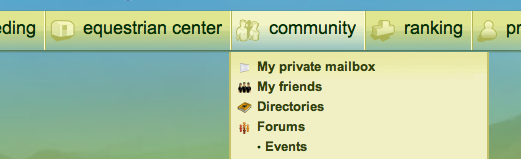
Once you have arrived at your Private Mail, scroll down until you reach the top of your messages where you will see the tabs: My in-box, My Sent box, My blacklist, My notebook. Click on "My notebook" to access the notebook.